‹ All apps Field Operations and Equipment Jobsite documentation app

TradesMen Cam

TradesMen Cam — capture the jobsite, document the work, and report with confidence.

Field documentation and jobsite reporting for trades and construction teams.

What TradesMen Cam is

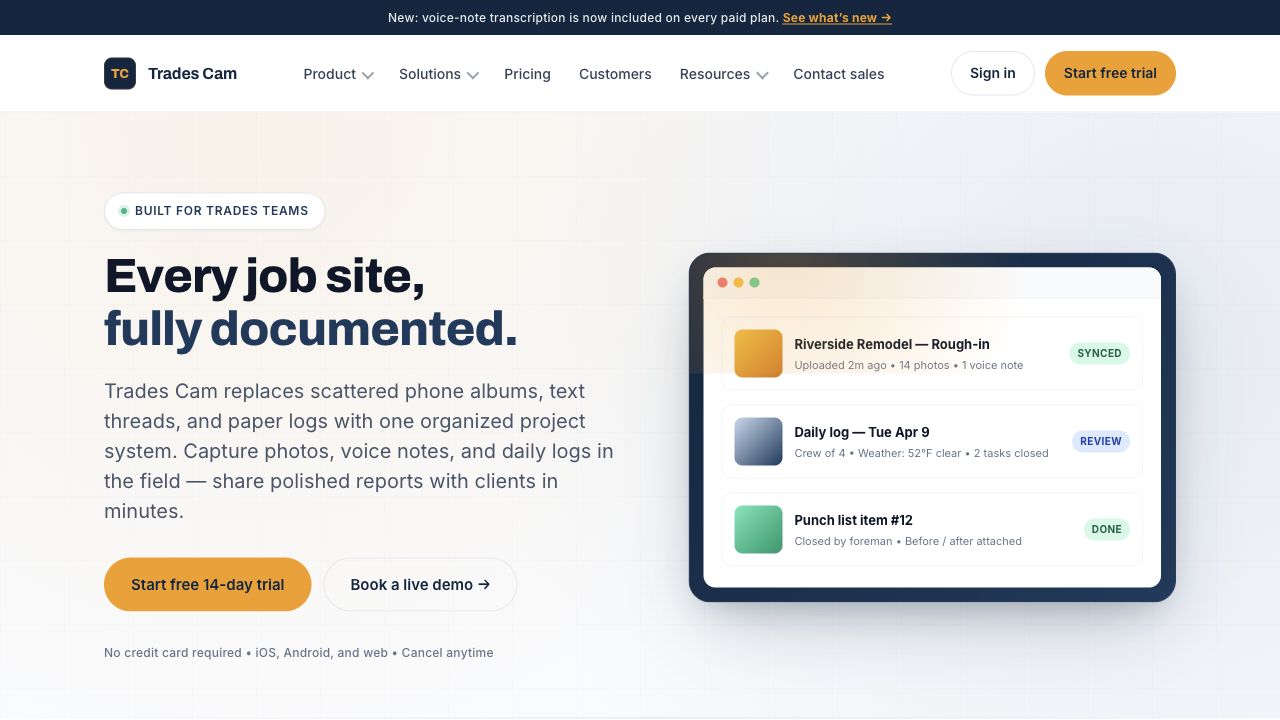
TradesMen Cam is the field-documentation layer of the ecosystem. It is designed to help trades and construction teams capture photos, videos, and voice notes from the field and turn that raw documentation into structured daily logs, project updates, tasks, checklists, work orders, equipment records, estimates, vendor records, timesheets, job costing, and client-ready reports. TradesMen Cam supports the full lifecycle of a job — from the first site visit to the final close-out package — without forcing a team to juggle multiple disconnected tools.

Problems it solves

  • Jobsite documentation is scattered across phones, group chats, and notebooks
  • Daily logs are inconsistent across crews
  • Photos and videos are not tied to the right projects
  • Clients want clear progress reports and you spend hours making them

Who it’s for

  • Trades and construction crews
  • Foremen and project managers
  • Owners producing client-ready reports
  • Service companies tracking job progress

Core modules

  • Photos
  • Videos
  • Voice notes
  • Daily logs
  • Projects
  • Tasks and checklists
  • Work orders
  • Equipment records
  • Estimates
  • Vendors
  • Timesheets
  • Job costing
  • Client-ready reports

Key features

  • Jobsite photos, videos, and voice notes
  • Daily logs and progress reports
  • Project organization with tasks and checklists
  • Work orders and equipment records
  • Estimates, vendors, and timesheets
  • Job costing support
  • Client-ready reporting and exports

Example workflows

A foreman captures jobsite progress photos and tags them to a project.

A daily log auto-rolls up photos, voice notes, and timesheet hours.

An owner exports a client-ready PDF for a milestone update.

Integration points

  • Hub uses TradesMen Cam project and customer context for CRM and service workflows
  • Tools provides equipment context for jobsite records
  • inTrust uses project proof for public reputation
  • Network supplies profile and company identity

See the full integrations page

Admin & governance

  • Project-level permissions
  • Audit trail of captures and edits
  • Tenant-aware company controls

How TradesMen Cam fits in

TradesMen Cam is the field-documentation companion to TradesMen Tools. Together they give a trade company a complete picture of what was done, who did it, when, and with which gear.

TradesMen Cam is part of the user-facing TradesMen ecosystem and connects with other apps through shared identity, workflows, and public-safe integration points.

Availability: Product descriptions on TradesMen.dev describe the intended role and capabilities of each app in the ecosystem and should not be read as a guarantee that every feature is publicly available today. Contact us for current availability.

Status

Status unknown

No status components have been published for this product yet, so there is nothing to report.

Ecosystem status ›

Support and access

Connects with

Where TradesMen Cam connects in the ecosystem.

These relationships explain how this app can share context with the rest of TradesMen.dev in public-safe terms.

Connects to

TradesMen Hub

Job documentation to customer context

Field documentation becomes more useful when it is tied back to customers, jobs, work orders, and service history.

View TradesMen Hub
Connects from

TradesMen AI

Governed assistant workflows

AI belongs behind governance: operators decide where assistants are allowed to help, what they can do, and how actions are reviewed.

View TradesMen AI
Connects from

TradesMen Security Center

Defensive ecosystem monitoring

Security Center is the defensive operations layer for watching registered apps, tracking readiness, and helping operators respond when something needs attention.

View TradesMen Security Center
Frequently asked

TradesMen Cam FAQ

Is TradesMen Cam just a photo app?

No — TradesMen Cam captures field media and turns it into structured project records: daily logs, work orders, costing, and client-ready reports.

Does TradesMen Cam connect to Hub?

Yes — TradesMen Cam is designed to connect with Hub for CRM, customer, and project context.

+ Related apps

Pairs well with

These apps connect naturally with TradesMen Cam in the TradesMen.dev ecosystem.

Integrates with

Field Operations and Equipment
Field operations app

TradesMen Tools

Tool and equipment inventory management for individual tradespeople and trade companies.

Tool, truck, box, assignment, and jobsite asset tracking for field teams.

Learn more

Integrates with

Business Growth and Reputation
Business operations app

TradesMen Hub

A HubSpot-style business growth platform built for contractors, suppliers, and trades companies.

CRM, sales, marketing, service, automation, reporting, and customer operations.

Learn more

Integrates with

Business Growth and Reputation
Trust and reputation app

TradesMen inTrust

The trust, reviews, quoting, and hiring platform for tradespeople and customers.

Reviews, trust signals, quote requests, and customer-facing reputation tools.

Learn more

TradesMen Dev is part of the TradesMen Dev Eco System, Owned, Operated, And Managed By Pimentel Services Ltd. TradesMen Cam is part of the TradesMen.dev ecosystem.

Want to learn more about TradesMen Cam?

Get in touch and we’ll walk you through where it fits in your work.