‹ All apps Field Operations and Equipment Field operations app

TradesMen Tools

TradesMen Tools — know where every tool is, who has it, and what it’s worth.

Tool and equipment inventory management for individual tradespeople and trade companies.

What TradesMen Tools is

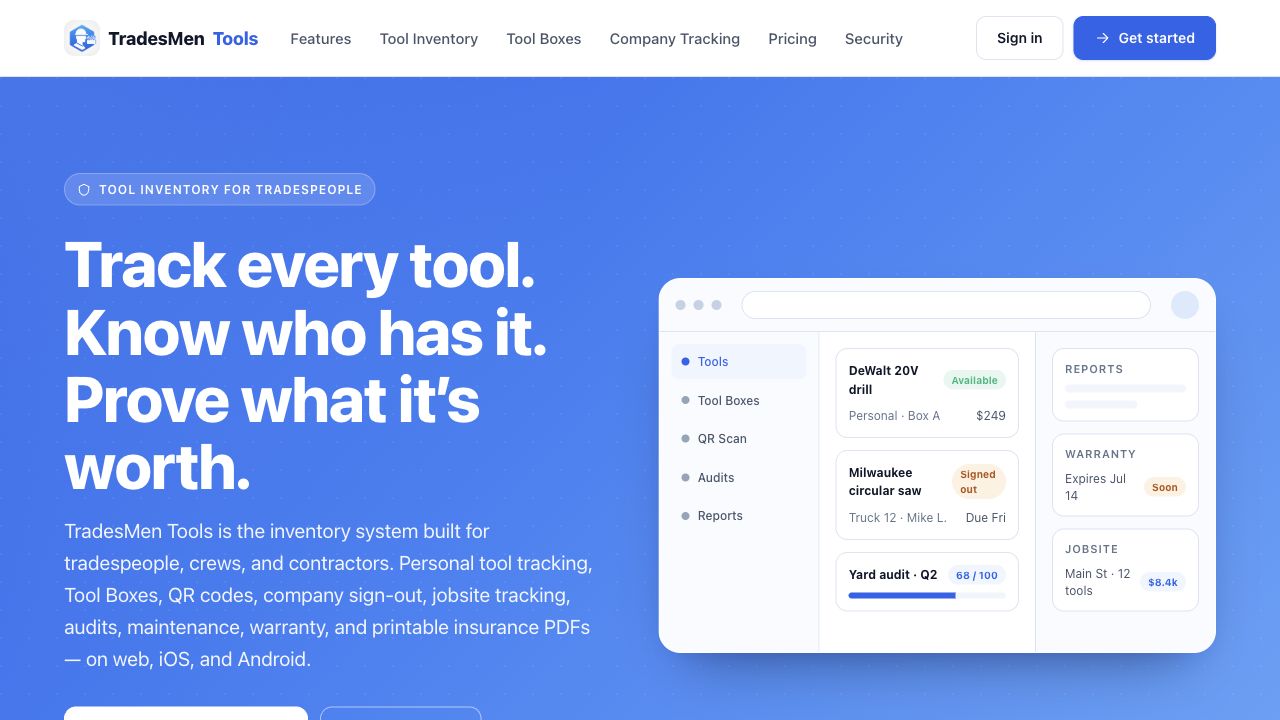
TradesMen Tools is the asset management layer of the ecosystem. It is designed to help individual tradespeople and trade companies track tools, equipment, tool boxes, trucks, jobsites, and employee assignments. Tools supports sign-out and sign-in flows, QR-coded labels, audits, maintenance windows, warranty tracking, PDF reports, and company permissions — all in a single, lightweight system. It is built for the practical reality of running a trades business where gear walks, gets borrowed, and ends up on the wrong truck.

Problems it solves

  • Tools get lost or end up on the wrong truck without accountability
  • Sign-outs are inconsistent and untracked
  • Inventory and warranty records get scattered across spreadsheets and notes
  • Insurance and audit reports are painful to produce on demand

Who it’s for

  • Independent tradespeople tracking personal tools
  • Crews assigning tools across jobs
  • Company owners managing fleets of trucks and tool boxes
  • Operations and warehouse managers

Core modules

  • Tool inventory
  • Tool boxes
  • Trucks
  • Jobsites
  • Employees
  • Sign-out and sign-in
  • QR labels
  • Maintenance
  • Warranty
  • PDF reports

Key features

  • Personal and company tool inventory
  • Tool boxes, trucks, and jobsite locations
  • Employee sign-out and sign-in flows
  • QR-code labels and scanning
  • Audit history and chain of custody
  • Maintenance and warranty tracking
  • PDF reports for insurance and audits
  • SuperAdmin and company admin permissions

Example workflows

An employee scans a QR label to sign a drill out to a jobsite.

A company owner runs a quarterly audit report and exports a PDF.

A foreman moves tools between trucks and updates inventory in seconds.

Integration points

  • Network supplies staff identity for sign-outs
  • Hub provides company and admin context
  • TradesMen Cam links tool records to jobsite documentation
  • Security Center monitors the Tools backend defensively

See the full integrations page

Admin & governance

  • Role-based permissions (owner, admin, staff)
  • Audit history and chain-of-custody records
  • Company-wide policies for sign-out and maintenance
  • Insurance-ready exports

How TradesMen Tools fits in

TradesMen Tools is the field-operations asset layer. It pairs with TradesMen Cam (field documentation) to give companies a clear, accountable picture of their gear and their work.

TradesMen Tools is part of the user-facing TradesMen ecosystem and connects with other apps through shared identity, workflows, and public-safe integration points.

Availability: Product descriptions on TradesMen.dev describe the intended role and capabilities of each app in the ecosystem and should not be read as a guarantee that every feature is publicly available today. Contact us for current availability.

Status

Status unknown

No status components have been published for this product yet, so there is nothing to report.

Ecosystem status ›

Support and access

Connects with

Where TradesMen Tools connects in the ecosystem.

These relationships explain how this app can share context with the rest of TradesMen.dev in public-safe terms.

Connects to

TradesMen Hub

Assets to operations

Asset tracking supports operations when crews can connect tools, trucks, sign-outs, and job context instead of managing them separately.

View TradesMen Hub
Connects from

TradesMen AI

Governed assistant workflows

AI belongs behind governance: operators decide where assistants are allowed to help, what they can do, and how actions are reviewed.

View TradesMen AI
Connects from

TradesMen Security Center

Defensive ecosystem monitoring

Security Center is the defensive operations layer for watching registered apps, tracking readiness, and helping operators respond when something needs attention.

View TradesMen Security Center
Frequently asked

TradesMen Tools FAQ

Can individuals use Tools?

Yes — Tools supports both individual tradespeople tracking personal gear and companies managing multi-truck fleets.

Are QR labels required?

No — QR labels are an option that speeds up sign-out and audits. They are not required to use Tools.

+ Related apps

Pairs well with

These apps connect naturally with TradesMen Tools in the TradesMen.dev ecosystem.

Integrates with

Field Operations and Equipment
Jobsite documentation app

TradesMen Cam

Field documentation and jobsite reporting for trades and construction teams.

Photo, daily log, work order, job costing, and reporting workflows for the field.

Learn more

Integrates with

Foundation and Identity
Public identity layer

TradesMen Network

The professional network and identity layer for skilled tradespeople, crews, contractors, and trade companies.

The professional profile, company, credential, reputation, and access layer for the ecosystem.

Learn more

Integrates with

Business Growth and Reputation
Business operations app

TradesMen Hub

A HubSpot-style business growth platform built for contractors, suppliers, and trades companies.

CRM, sales, marketing, service, automation, reporting, and customer operations.

Learn more

TradesMen Dev is part of the TradesMen Dev Eco System, Owned, Operated, And Managed By Pimentel Services Ltd. TradesMen Tools is part of the TradesMen.dev ecosystem.

Want to learn more about TradesMen Tools?

Get in touch and we’ll walk you through where it fits in your work.